Childhood Photo Editing Prompts | Then & Now Photo Prompts For Boys And Girls – Friends, today I am going to introduce you to a photo editing technique that allows you to recreate your childhood memories through a picture. Creating this photo is an incredibly simple task; once you’ve finished it, you’ll be amazed at how spectacular the result looks. Not only will it refresh your memories of the past, but it may also evoke a sense of nostalgia—perhaps even a touch of wistfulness—as you reflect on all the things you used to do as a child. You might wonder: how could you have possibly taken photos back then if you didn’t have access to a camera or a mobile phone? To address this, I am going to show you how to seamlessly blend a childhood image with a current one to produce a single, finished photograph. Once this image is ready, it will truly bring your cherished childhood memories back to life. So, let’s find out how it’s done!
What is an AI Prompt, and How Does It Work In ‘Then & Now’ editing?
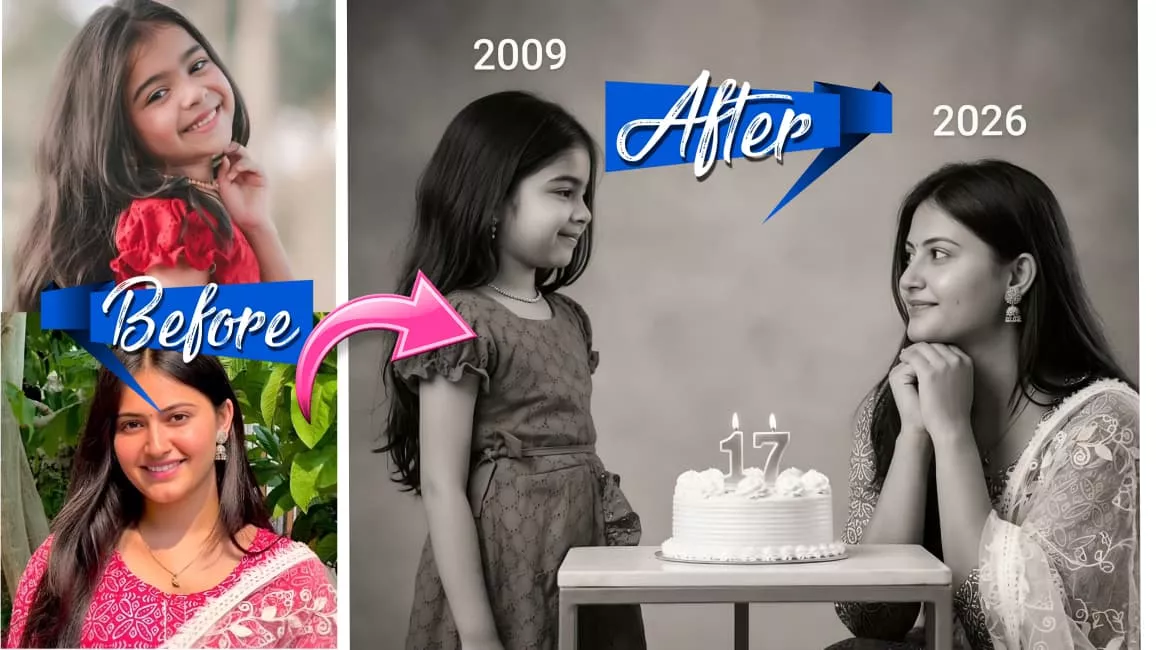
What is an AI Prompt, and how does it work in ‘Then & Now’ editing? Let me explain: an AI prompt is essentially a detailed textual description—written in your own words—that specifies exactly how you want a particular image to be generated. If you use such a prompt and upload one of your own photos, it will transform into a beautifully aesthetic image. These prompts are the result of significant effort; we either craft them ourselves or painstakingly search for them to bring them to you. As for how this applies to ‘Then & Now’ editing: the ‘Then’ section features a photo from your past—specifically your childhood—while the ‘Now’ section displays a current photograph of you. The resulting image is a split composition: one half retains your old childhood photo, and the other half features your adult self. It effectively creates a side-by-side comparison—your younger self on one side and your adult self on the other—and generating such an image serves to vividly rekindle your cherished childhood memories.
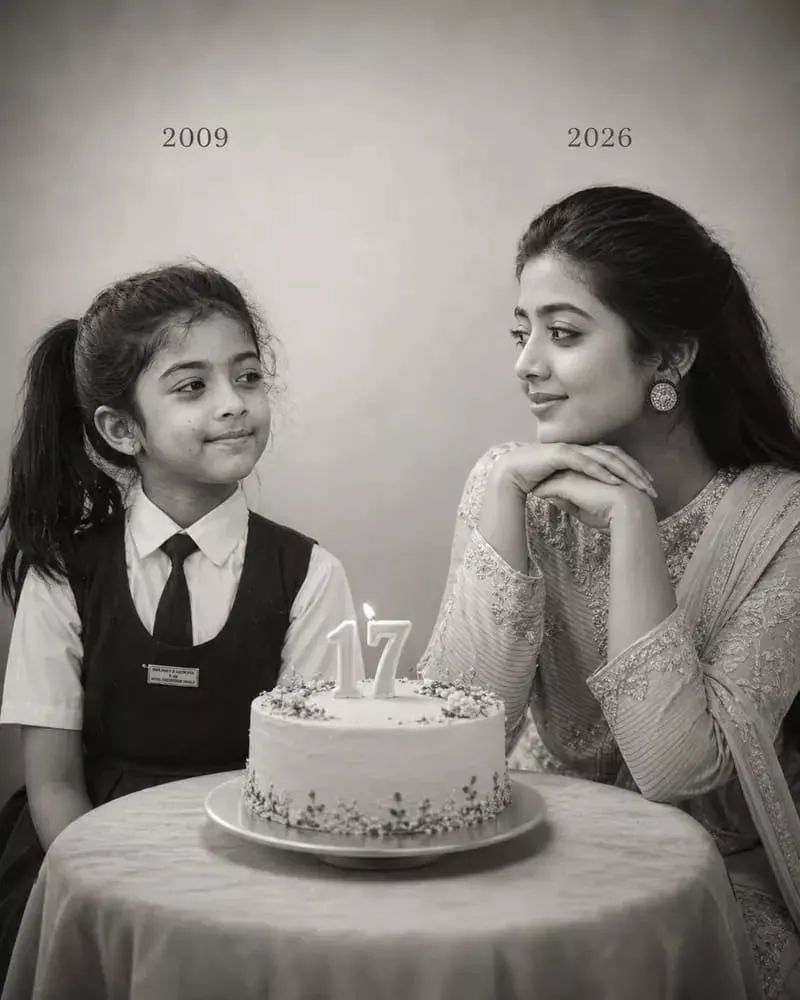
Using the images I'm going to upload to create a soft, emotional, black and white art. Let the formation be as follows: On the left: a child version of me (from a childhood photo) looking with an innocent smile to the right, with "2009" written above it. On the right: a present version of me (from a recent photo) sits with her hands under her chin and looks at the child with a calm smile, with "2026" written above her In the middle: a table with a simple, elegant birthday cake with number 17 on top. Studio background: plain and soft (studio background). The lighting: soft, cinematic, warm (even a black-and-white photo). Style: professional, minimal, emotional photography, focusing on feelings and visual communication between the two versions. Make the picture look so real like a real photoshoot. Keep my original features without changing. Photo size: 4:5."
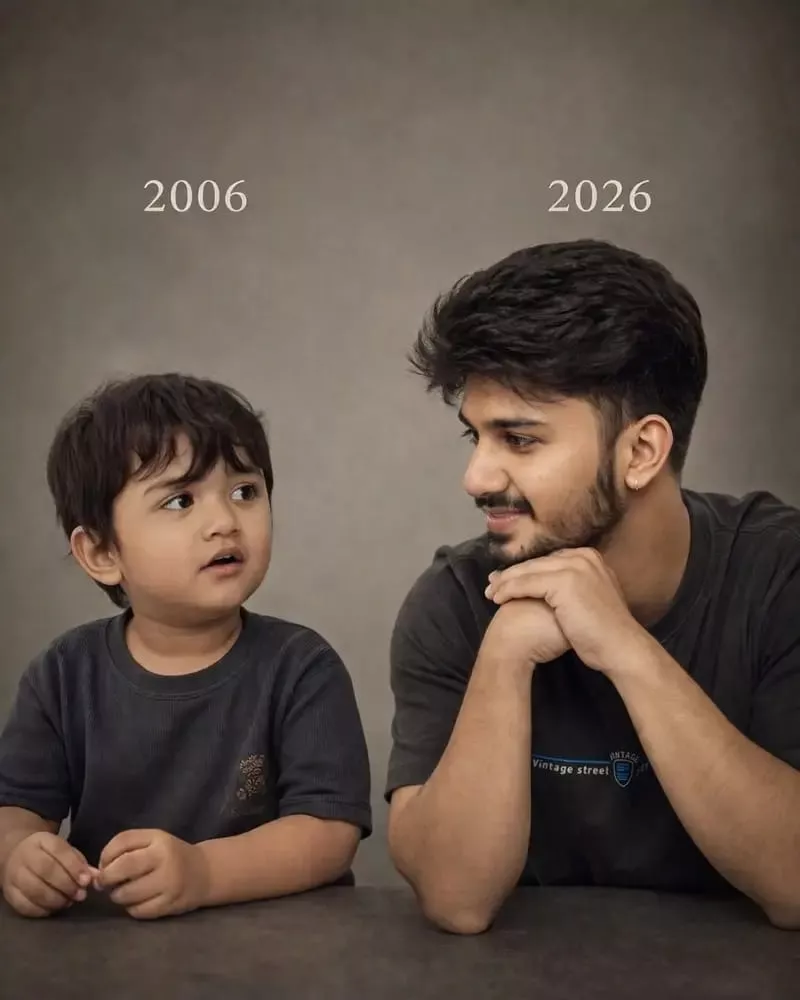
Let the formation be as follows: On the left: a child version of me (from a childhood photo) looking with an innocent smile to the riaht, with 2006 written above it. On the right: A present version of me (from a recent photo sits with her hands under her chin and looks at the child with a calm smile wwith2026" written above her. Studio background: plain and soft (studic background) The lighting: Soft, cinematic. warm (even a black-and-white photo) Style: Professional, minima emotional photography, focusing on feelings and visual communication between the two versions. Make the picture look so real like abetween the two versions. Make the picture look so real like a rea photoshoot. Keep mv oriqinal features without changing.photo size 4:5
How to Use AI Prompts
How to Use AI Prompts: I am going to explain exactly how to utilize this prompt. First, you need to copy the prompt directly from our website. If you wish to create aesthetic photos like the example shown, you will find the specific prompt listed beneath the image—copy it from there. Once copied, head over to Google Gemini (or any other AI tool you prefer). Paste the prompt into the input field, click on the “plus” icon to upload your own photo, and after a short wait, your image will be generated and ready. This allows you to use AI prompts with great ease.
Conclusion
These aesthetic photos are currently trending significantly, and I have provided you with all the necessary information right here regarding exactly what steps to take. If, despite this, you still find yourself confused, simply re-read the article; doing so should clarify everything for you. I hope you were able to grasp the process on your very first attempt; however, just in case you didn’t quite get it, you can always read through the article again to understand the steps and easily create your own aesthetic photos. Furthermore, if you ever require more aesthetic photo ideas, editing prompts, CapCut templates, editing tips, editing packs, or anything similar, please feel free to leave a comment. We will be sure to reply to your comments and help resolve any doubts you may have. I regularly upload such editing tips to my website on a daily basis, so you can check them out here and apply them to your own photos to edit them exactly to your liking.