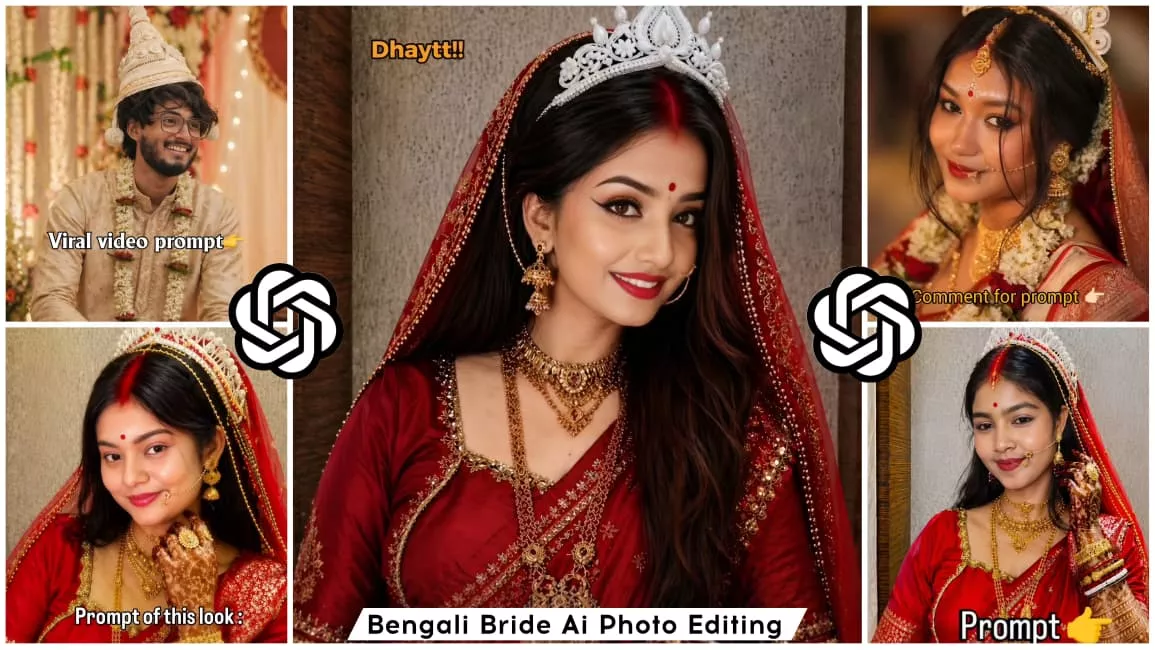
Bengali Bride Ai Photo Editing Prompt 2026 – Friends, I am here once again to introduce you to a new trending style. This trend revolves around photo editing—specifically, creating images of a “Bengali Bride.” These Bengali bride photos are currently going viral, and I will show you exactly how to create them and explain their significance. First, regarding its importance: it allows you to experience the look and feel of a traditional Bengali wedding—complete with the bridal attire, sindoor (vermilion), and all the associated rituals—without actually getting married. You can simply enjoy the aesthetic of these photos, or even use them to pull a prank on someone by creating such an image. While this photo editing style is primarily designed for girls, I have also provided a specific prompt here for boys. The prompt for boys is quite simple: it will depict you wearing the attire of a Bengali groom. That is essentially it—the boy’s version will feature you dressed as a groom, set against the backdrop of a wedding atmosphere.
What is Bengali Bride Look?
So, what exactly constitutes a “Bengali Bride” photo? Let me explain: a Bengali Bride photo is one in which you are depicted wearing a red saree—the quintessential attire for a Bengali wedding. Once dressed in the red saree, you are adorned just as a bride would be on her wedding day, capturing the authentic look and aesthetic of a traditional Bengali wedding ceremony. Simply put, it involves creating an image that replicates the visual style of a wedding in Bengal. In these photos, you typically wear bracelets (known as chudiyan), along with traditional adornments such as Alta (red dye applied to the hands and feet) and nail polish. Additionally, the inclusion of Sindoor (vermilion) and a bridal crown (Mukut) completes the ensemble, making your photo look absolutely stunning and giving it a truly authentic bridal appearance. This entire process is referred to as “Bengali Bride Photo Editing,” and when all these elements come together to make you look exactly like a real bride, the result is what we call a “Bengali Bride photo.” You might be wondering why this trend is currently so popular; the reason is that it is currently the wedding season! Everyone is creating these types of photos and sharing them on their social media stories. As you likely know, the popularity of such trends skyrockets during the wedding season, which is why this particular style is currently trending so heavily, with everyone eager to create their own versions. To create these images, you will need a specific “prompt.” I have provided this prompt right here in this article on my website, so you can easily copy it and use it yourself. Furthermore, I have explained exactly how to use this prompt in a separate article; I highly recommend checking out that article to learn the step-by-step process
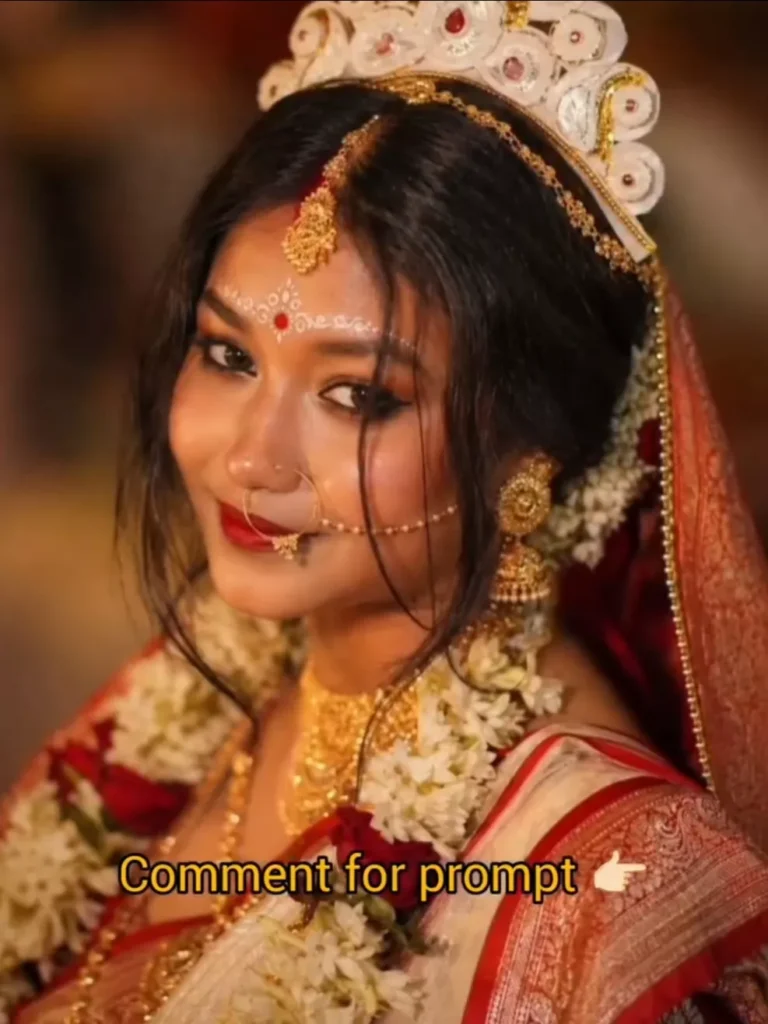
Create an image dressed in traditional Bengali bridal attire, radiating elegance and cultural heritage. She is wearing a vibrant red saree and blouse adorned with intricate gold embroidery along the borders. Her look is elevated by heavy, ornate gold jewelry, including a tiered necklace, large jhumka earrings with hair chains, and a delicate nose ring. A striking white Shola crown (mukut) sits atop her head, contrasting beautifully with her dark hair and red veil. Her makeup is refined, highlighted by a bold red bindi and white decorative dots across her forehead. She gazes off-camera with a gentle smile, set against a blurred background featuring a classic lit chandelier.
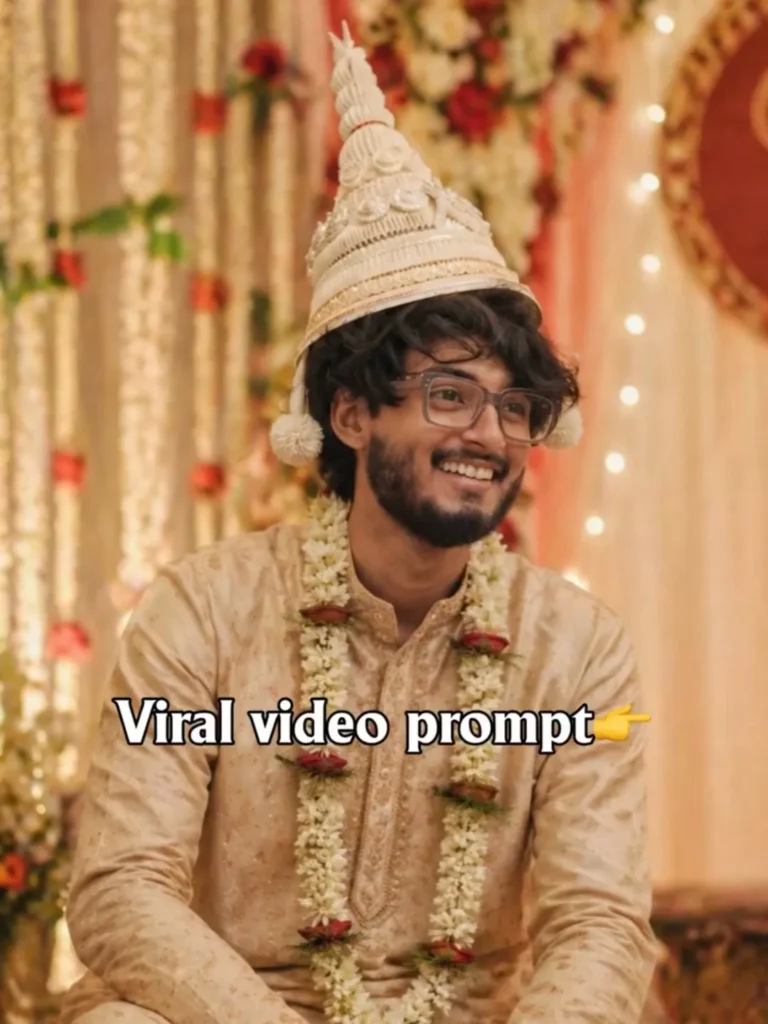
Turn this photo into a Bengali groom His dress description, A light brown silk panjabi, with embroidered works all over the panjabi, topor on his head(like bengalis wear during their marriagli Photo must look aesthetic and background should be a typical Bengali marriage like
Best Tools Used for AI Photo Editing
i am going to tell you about the best tools you can use to create this photo. Among the top tools for such creative tasks are ChatGPT, Google Gemini, and Bing Image Creator. While there are many other image-creation applications available, these three are currently enjoying immense popularity. From this trio, I have selected the absolute best options to recommend to you. The two standout choices among them are Google Gemini and ChatGPT; by utilizing either of these, you can effortlessly generate your own photos. The creation process is incredibly simple—it typically involves uploading an image, pasting a prompt, and hitting ‘Generate.’ It is truly that easy to create content using these tools. In fact, anyone can create images using these applications—even a small child could do it. Once they watch the video just one time, they won’t need any further instructions and will be able to handle it with ease. So, you can certainly do it too!
How To Create Image?
Now, let’s get to the main point: how do you actually create the photo? To do so, you need to open either Google Gemini or ChatGPT. Once opened, you will need to paste a specific prompt and upload your image. Make sure to upload an original photo of yourself—ideally, one taken in a well-lit area with even lighting, and without any masks or obstructions covering your face. After taking and uploading your selfie, visit our website to copy the required prompt. Then, return to the AI tool and paste the prompt into the input field. Once pasted, click on the “Generate” option. It will take about one to one-and-a-half minutes for the process to complete, and your photo will be transformed into a highly aesthetic and stunning image—specifically featuring a classic Bengali wedding look. You can create this look with great ease, and I have provided detailed prompts to ensure you face no difficulties during the creation process.
Important Editing Tips
I am sharing some crucial editing tips to help you avoid common mistakes when preparing your photos. The first potential error is uploading a photo taken with a low-quality or blurry camera; if you do this, the system will be unable to accurately recognize your face and may instead generate an image using someone else’s features. The second mistake involves altering your skin tone; you should keep your skin color natural. If you attempt to lighten your skin tone to appear fairer, it will cause complications and prevent the system from accurately generating your image. Furthermore, uploading an image that has been heavily over-edited will also result in the system failing to create a proper output. Therefore, you should simply take a standard, unedited photo using your device’s native camera and upload that; this ensures the system accurately recognizes your face, resulting in a 100% match. Additionally, wearing jewelry while taking a photo can make it difficult for the AI to fully recognize your face; therefore, remove any jewelry before uploading your picture. This will ensure your generated photo looks aesthetically pleasing and that your face matches perfectly. These are some important tips that you must keep in mind while creating your photos.